

The gaming industry is one of the fastest-growing industries in the world. Video games keep getting better in terms of graphics, gameplay, and attention to detail. There's no surprise that people are turning to gaming as a source of entertainment. However, today's games require a lot of power from your laptop. With heavy gaming comes heavy problems for your device, from a freezing screen to a spike in temperature.
Gaming laptops are built for speed and performance, but they also need more care than regular computers. These systems work very hard and process massive amounts of data from today's demanding games. They're constantly pushed to their limits, which can lead to performance and hardware issues. But the good news is that most problems can be fixed with the right laptop repair services.
Common Performance Issues in Gaming Laptops
Gaming laptops can slow down for many reasons. Here are some common issues:
- Overheating: Gaming puts a lot of stress on your system. If your laptop gets too hot, it may slow down or turn off. Dust in the fans or vents can make the situation worse.
- Slow and Laggy Performance: If games on your laptop are lagging, it might need more RAM, a faster hard drive, or a software clean-up.
- Software Issues: Viruses, outdated drivers, or too many background programs can affect game speed.
Hardware Issues Faced by Gamers
Hardware problems can stop you from playing your favorite games. Some typical hardware issues include:
- Keyboard Issues: Heavy gaming can make your laptop keyboard wear off and stop some keys from working properly.
- Battery Deterioration: Gaming drains the battery quickly. Over time, the battery life will deteriorate and may not last as long.
- Faulty Graphics Card: If you see strange colors or lines on the screen, your graphics card might be failing.
How Professionals Can Help
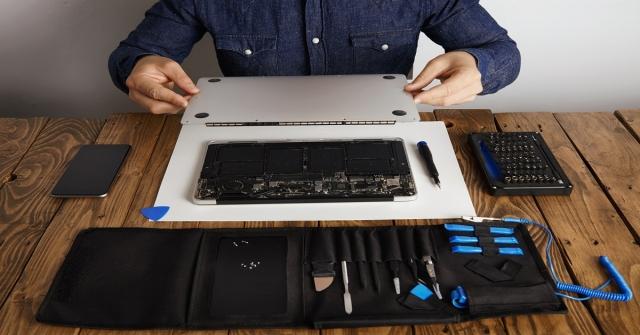
Gaming laptops have delicate components that need special tools and expertise. Professional laptop repair services, such as Mobile Computer Repair, can diagnose problems quickly and fix them safely. Experts thoroughly clean the inside of your laptop to stop overheating. They replace or upgrade RAM, hard drives, and graphics cards for better performance.
Proactive Measures You Can Take
Although it is recommended that you call the experts if you are facing serious issues with your laptop, there are some proactive steps you can take to minimize the problems.
- Clean your laptop regularly to keep it free from dust.
- Use a cooling pad during long gaming sessions.
- Update your graphics drivers and software regularly to ensure optimal performance.
- Avoid eating or drinking near your laptop to prevent spills and potential damage.
Conclusion
Gaming laptops are investments worth protecting. When performance drops or hardware acts up, professional laptop repair services can get you back to gaming quickly. At Mobile Computer Repair, our experts possess extensive knowledge and expertise to fix your gaming laptops and improve their performance. Contact us now if you need assistance with your computer.